Multi-language Support
Choose your website language.
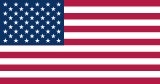
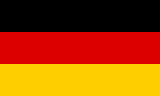
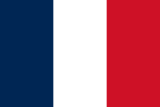
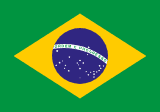
Build your music website in any of 7 supported languages. Choose one language for each site you manage.
Create Your WebsiteNorth Arcade
North Arcade
North Arcade
North Arcade
North Arcade
North Arcade
North Arcade
What gets translated
The setting controls the built-in text that comes with your theme, including navigation, forms, and buttons.
Concert pages
Built-in headings such as “Upcoming concerts” and ticket buttons use your website language.
See the Concert CalendarNewsletter signup
The signup form and “Subscribe” button use your website language.
See the Newsletter featureShop and cart
Labels such as “Add to cart” and the fields in your shop forms use your website language.
See the Artist ShopHow to set your website language
- Open your website’s Appearance settings in the dashboard.
- Under Configuration, choose an option in Website language.
- Save your changes and open your website to check the labels.
- Works with every theme
- The setting is available on every band.place theme. You can change the language without switching themes.
- Content you write
- Write your bio, event names, and product descriptions in the language you want to publish. The builder keeps your text as entered.
Website language FAQ
Which website languages does band.place support?
English, German, French, Spanish, Italian, Brazilian Portuguese, and Japanese. Try any of them in the website preview above.
Can a website use more than one language at a time?
Each site has one active language for its built-in text. Visitors see the language you set in the dashboard.
Can I change the language of a published website?
Yes. Change Website language in the dashboard and save. Your built-in text updates, and your website keeps the same address.